Logosheets is a platform designed to simplify the sharing of logos between users (e.g., businesses and vendors). As a Product Designer, I worked on building a seamless experience for users to upload a logo and generate a downloadable, shareable sheet with all relevant formats and color codes.
Company
Storybent
Timeline
2018
—
2019
Role
Product Designer
Project overview
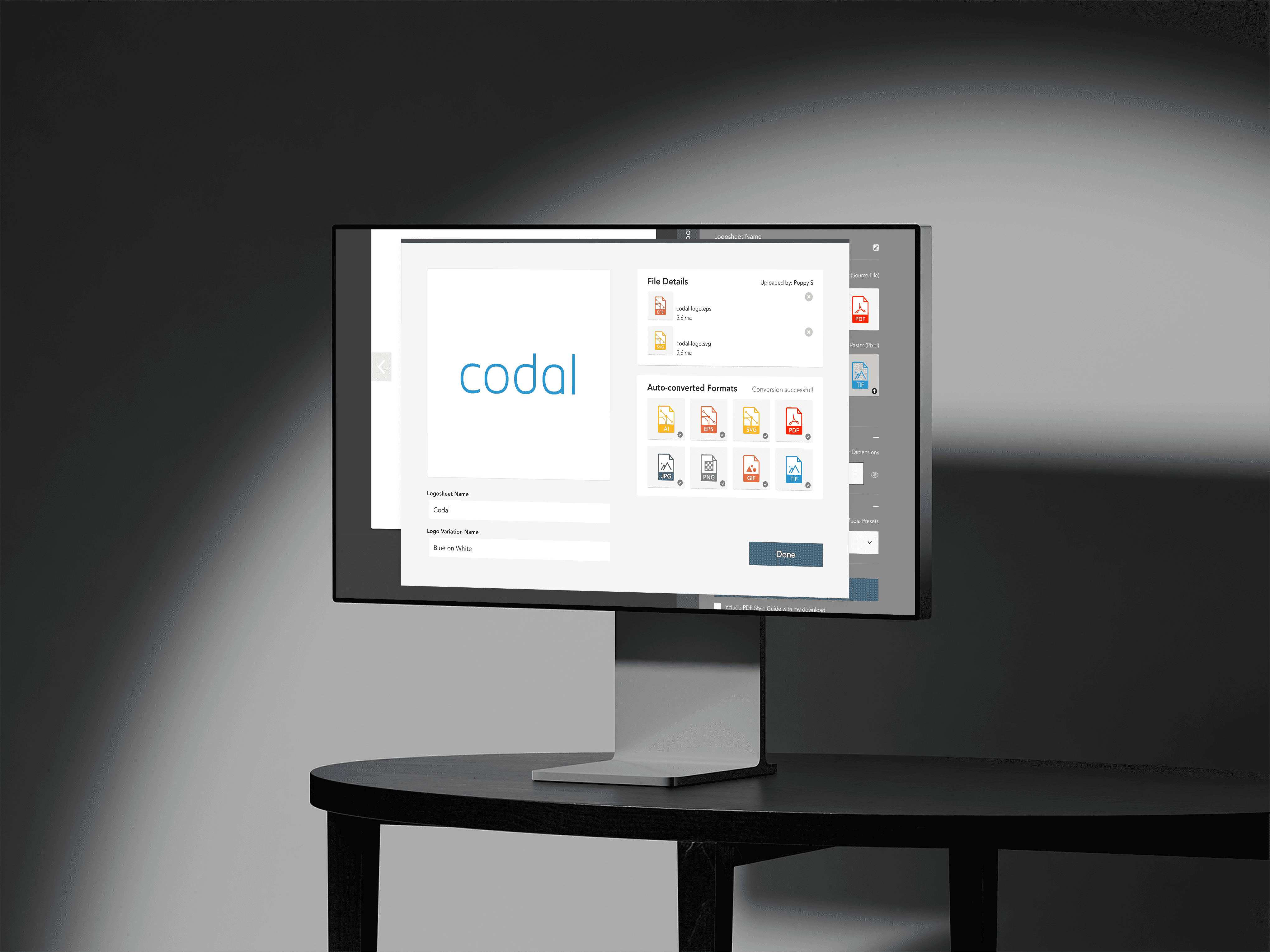
We started by interviewing small business owners and vendors to understand pain points in the file-sharing process. I mapped out user flows to ensure that uploading and generating a logo sheet was intuitive. We focused on simplicity: once a logo was uploaded, users could see formats available, adjust sizing, and generate the sheet. We added color code extraction so users could easily share brand colors too.
Challenges
Businesses often struggle to share logos with vendors or partners who lack design tools. Sending EPS or AI files is cumbersome, and recipients often don't know how to handle them. The goal was to make logo sharing effortless for both senders and recipients, while maintaining control over access.

Logosheets web app – Sheet owner view
Logosheets web app – Sheet owner view
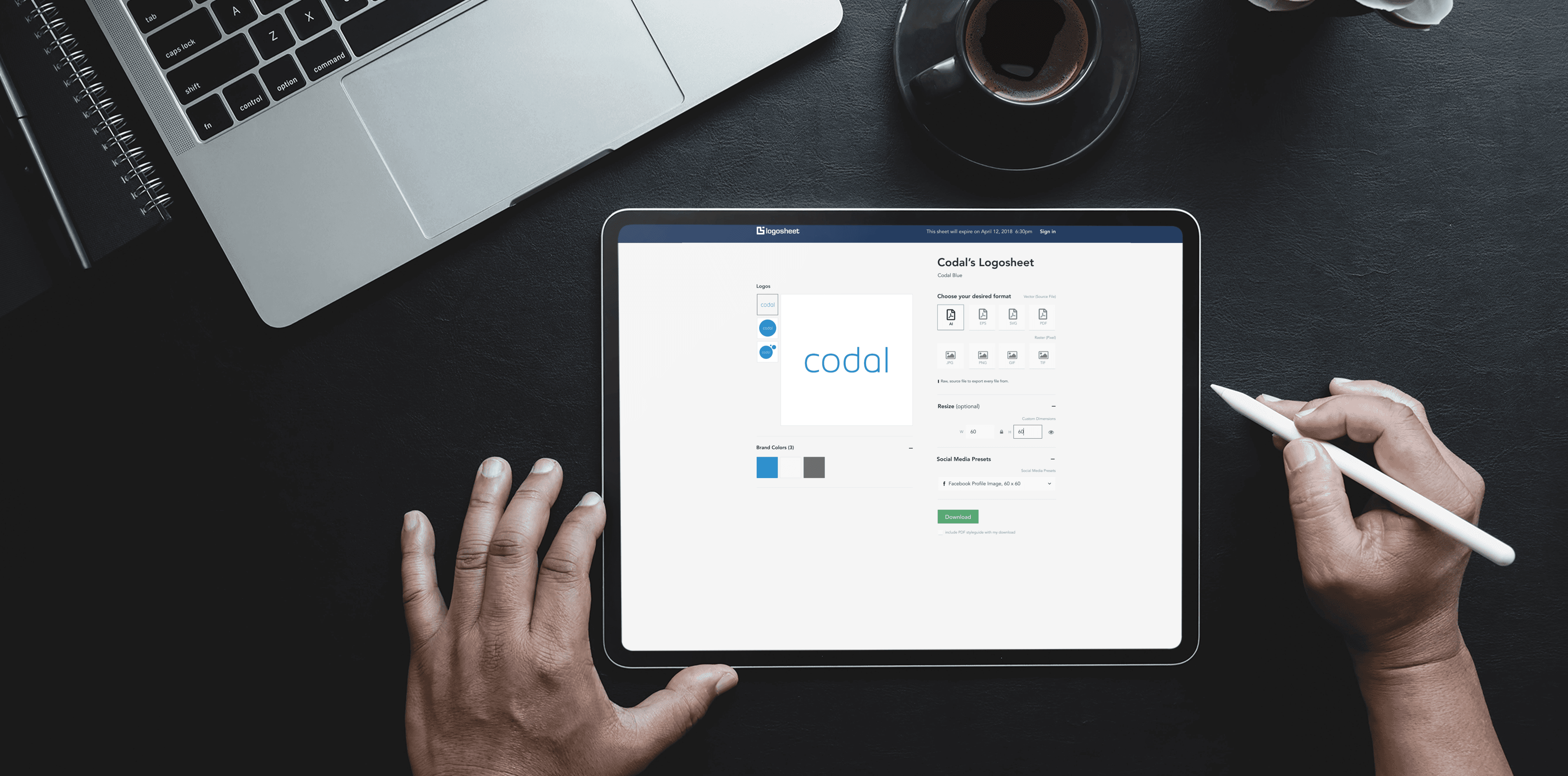
Logosheets web app – Shared sheet view
Logosheets web app – Shared sheet view
Results
LogoSheets allowed users to upload a logo, generate a customizable sheet with formats like PNG, JPG, PDF, and more, plus color codes. The sender could share a link to the sheet that didn’t require login on the recipient side. They could customize access settings, control who could view or download, and set expiration dates.
The platform reduced the friction of logo sharing dramatically. Small businesses saved time by no longer needing to explain file formats to vendors. Recipients found it easy to download exactly what they needed without additional software. User satisfaction increased, and the streamlined process improved vendor relationships and brand consistency.
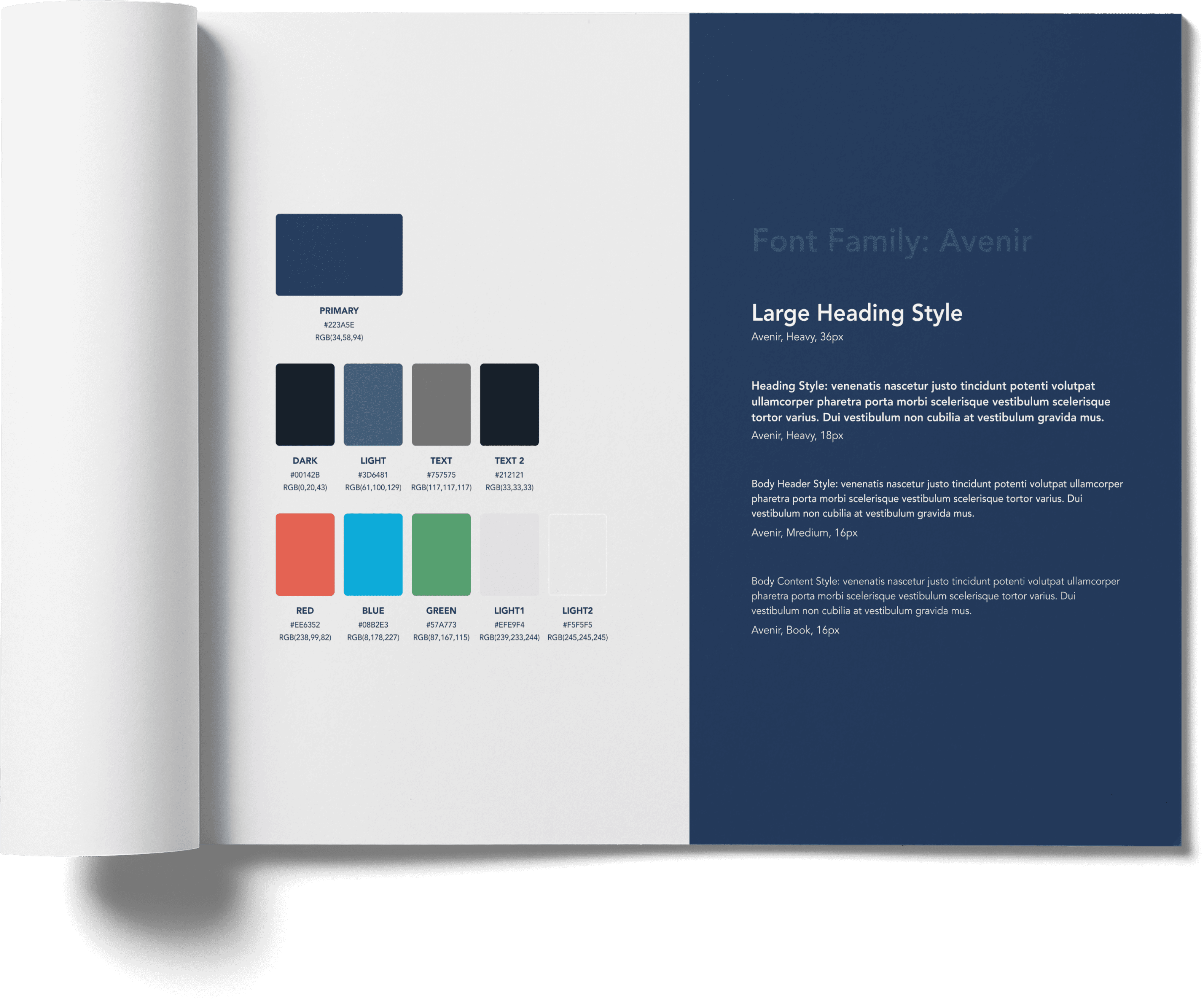
Logosheet – Brand style guide
Logosheets is a platform designed to simplify the sharing of logos between users (e.g., businesses and vendors). As a Product Designer, I worked on building a seamless experience for users to upload a logo and generate a downloadable, shareable sheet with all relevant formats and color codes.
Company
Storybent
Timeline
2018
—
2019
Role
Product Designer
Project overview
We started by interviewing small business owners and vendors to understand pain points in the file-sharing process. I mapped out user flows to ensure that uploading and generating a logo sheet was intuitive. We focused on simplicity: once a logo was uploaded, users could see formats available, adjust sizing, and generate the sheet. We added color code extraction so users could easily share brand colors too.
Challenges
Businesses often struggle to share logos with vendors or partners who lack design tools. Sending EPS or AI files is cumbersome, and recipients often don't know how to handle them. The goal was to make logo sharing effortless for both senders and recipients, while maintaining control over access.
Logosheets web app – Sheet owner view
Logosheets web app – Sheet owner view
Logosheets web app – Shared sheet view
Logosheets web app – Shared sheet view
Results
LogoSheets allowed users to upload a logo, generate a customizable sheet with formats like PNG, JPG, PDF, and more, plus color codes. The sender could share a link to the sheet that didn’t require login on the recipient side. They could customize access settings, control who could view or download, and set expiration dates.
The platform reduced the friction of logo sharing dramatically. Small businesses saved time by no longer needing to explain file formats to vendors. Recipients found it easy to download exactly what they needed without additional software. User satisfaction increased, and the streamlined process improved vendor relationships and brand consistency.
Logosheet – Brand style guide